

How to Reset an OTF Auto Knife After a Misfire


Short answer
Reset a misfired OTF auto knife safely with clear steps for double-action vs single-action OTFs, type identification cues, stop conditions, and when to contact
In this article
- 01 How to identify your OTF type before you touch the blade
- 02 Signs you have a double-action OTF
- 03 Signs you have a single-action OTF
- 04 Safe reset steps for a double-action OTF
- 05 Safe reset steps for a single-action OTF
- 06 Symptom guide: routine reset or stop-and-service?
- 07 When to stop immediately
- 08 How to verify whether manual re-seating is actually permitted
- 09 Clean it first, or send it in?
- 10 Mistakes that make a misfire worse
- 11 Concise FAQ
- 12 Bottom line
If your OTF auto knife misfires, the reset depends on whether it is double-action or single-action. On most double-action OTFs, return the slider fully to its home position, re-seat the blade only if the manual or maker support says that is allowed, then test once; on single-action OTFs, use the knife’s charging method and do not hand-force the blade unless the manual says to.
- Double-action OTF: move the slider all the way back to its start position.
- If the maker permits manual reset: carefully re-seat the blade with light, straight pressure on the spine, not the edge.
- Test once only: one normal, firm actuation is enough to confirm re-engagement.
- Single-action OTF: use the model’s charging or cocking method instead of pushing the blade by hand.
- Stop immediately if the slider will not return home, the blade rubs or binds, lockup feels unsafe, or you do not have clear maker guidance for manual re-seating.
What this does not mean: a knife that resets once after meeting resistance is not automatically “fine.” Repeated misfires, weak lockup, or harsh scraping usually point to dirt, wear, damage, or the need for service.
How to identify your OTF type before you touch the blade
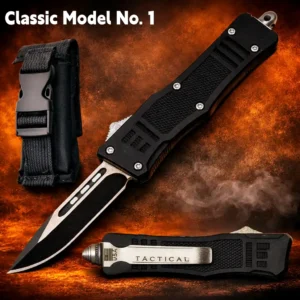
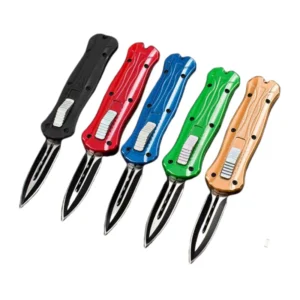
This is the part most articles skip, and it matters. The most common OTFs sold to consumers are double-action: the same thumb slider both deploys and retracts the blade. Single-action OTFs are the exception; they fire automatically, then require a separate charging step to reset.
Signs you have a double-action OTF
- One slider or button both sends the blade out and pulls it back in.
- No separate charging handle, rear knob, or cocking lever is visible.
- When it misfires after hitting resistance, the slider may feel loose or “disconnected” until reset.
Signs you have a single-action OTF
- The knife fires automatically but does not retract with the same control.
- There is a separate charging feature such as a charging handle, rear reset knob, or dedicated cocking procedure.
- The manual describes the knife as being re-cocked after firing.
If you see a separate charging feature, treat the knife as single-action until the manual proves otherwise. That one visual cue is more useful than guessing from brand, price, or online videos of a different model.
Safe reset steps for a double-action OTF
- Point the knife in a safe direction. Keep your fingers clear of the opening and blade path.
- Return the slider fully home. Do not leave it halfway forward or halfway back.
- Check the source that applies to your exact knife. Use the owner manual, maker FAQ, warranty page, or support page. Look for terms like misfire, reset, fails to lock, encounters resistance, or re-engage.
- If that source permits manual re-seating, apply light, straight pressure to the blade spine or use a folded cloth. Do not twist the blade. Do not push on the edge. Stop if the resistance feels sharp, gritty, or uneven.
- Actuate once. One firm cycle is enough. If it works, monitor the knife. If it misfires again, do not keep repeating the process.
A useful mechanism detail, stated in plain English: on many double-action OTFs, the internal drive can disengage, meaning it uncouples from the blade, when the blade meets resistance. That is why the slider can suddenly feel slack after a misfire. It is not permission to force the knife; it is a reason the reset path exists on some models.
Safe reset steps for a single-action OTF
- Do not push the blade back by hand unless the manual explicitly says that is part of the reset.
- Use the knife’s charging method. That may be a charging handle, rear knob, or another built-in cocking feature.
- Follow the maker’s sequence exactly. Single-action designs rely on a separate re-cocking step, so double-action habits can damage them.
- Test once, then stop. If the knife still fails to function normally, contact the manufacturer or an authorized service provider.
Symptom guide: routine reset or stop-and-service?
| Symptom | What it usually suggests | Best next step |
|---|---|---|
| Blade came out partway and slider went slack | Typical double-action disengagement after resistance | Reset only if maker guidance allows it |
| Blade deploys but lockup feels loose or unsafe | Incomplete engagement, wear, or internal damage | Stop using it and seek service |
| Action feels slow or weak | Lint, grit, dried residue, or too much oil causing drag | Clean only as the maker instructs, then test once |
| Slider binds hard or will not return fully home | Jam, bent part, or internal damage | Do not force it; service is the safer choice |
| Knife resets once but keeps misfiring | Persistent contamination, wear, weak spring, or damaged internals | Stop repeating the cycle and contact the maker |
When to stop immediately
- The slider will not return fully to its home position.
- The blade path looks obstructed.
- The blade tip appears bent, chipped, or visibly off-center.
- You hear grinding, scraping, or abnormal spring noise.
- Lockup feels weak, loose, or unsafe after reset.
- You cannot find model-specific guidance in the manual, maker FAQ, warranty page, or support page.
If any of those apply, the safest answer is not another reset attempt. It is to stop, unload the situation, and contact the manufacturer or an authorized service provider.
How to verify whether manual re-seating is actually permitted
“If allowed” is only useful if you know where to verify it. Use this order:
- Owner manual: the best source for the knife’s intended reset method.
- Maker FAQ: often clearer than the printed paperwork for common misfire questions.
- Warranty page: this is where some makers place warnings about user maintenance, lubrication, or prohibited disassembly.
- Support page or direct support reply: best when the manual is vague or your knife is an older revision.
If the documentation does not clearly say you may re-seat the blade by hand, treat that as a no. Do not substitute forum advice, clone manuals, or a video of a similar-looking knife.
Clean it first, or send it in?
OTF knives are sensitive to drag. Pocket lint, grit, dried residue, and excess lubricant can all slow the blade enough to cause incomplete travel. One source-grounded detail that generic pages often miss: too much oil can be as harmful as too little because it holds debris in the track and increases resistance.
User-level cleaning makes sense when:
- the knife shows no visible damage,
- the slider still moves normally,
- the problem feels like sluggishness rather than a hard jam, and
- the maker provides cleaning and lubrication instructions.
Service is the better choice when:
- the slider binds,
- the blade rubs the chassis,
- the knife keeps derailing after one careful reset,
- lockup is weak, or
- the blade looks misaligned.
Do not disassemble an automatic knife unless the manufacturer explicitly permits it. For most users, the neutral next step is to contact the manufacturer or an authorized service center rather than trying to diagnose internal parts at home.
Mistakes that make a misfire worse
- Repeating the reset over and over. One careful attempt tells you more than six forceful ones.
- Twisting the blade during re-seating. Straight pressure only, and only if the maker allows it.
- Helping the blade with your fingertips near the edge. Use the spine or a folded cloth if manual re-seating is permitted.
- Assuming all OTFs work the same way. Most are double-action, but the exceptions matter.
- Using product descriptions as repair instructions. Troubleshooting should come from the manual, maker FAQ, warranty page, or support page.
Concise FAQ
Can I just push the blade back in after a misfire?
Only if it is a double-action OTF and your exact model’s manual or maker support says manual re-seating is allowed.
Why did the slider suddenly go loose?
On many double-action OTFs, that can happen when the drive disengages after the blade meets resistance.
Should I keep trying if it almost works?
No. One reset attempt and one test cycle are enough. Repeated failure points to cleaning or service, not more force.
What if I do not know which type I own?
Look for the control pattern first. If the same slider deploys and retracts the blade, it is usually double-action. If it needs a separate charging step after firing, treat it as single-action and follow the manual.
Where should I go if the manual is missing?
Contact the manufacturer or an authorized service provider. If you need help reaching support for a knife sourced through this site, use the support inquiry.
Can dirt really cause misfires?
Yes. Lint, grit, dried residue, and excess oil can all add enough drag to interrupt normal travel.
Bottom line
The safest reset rule is simple: double-action first, exceptions second. If your OTF uses one slider to deploy and retract, return the slider fully home, re-seat the blade only if the maker’s manual or support says that is permitted, and test once. If your knife uses a separate charging method, follow that method and do not hand-force the blade unless the manual explicitly says to. If anything binds, grinds, or locks up unsafely, stop and contact the manufacturer or authorized service.