
Short answer
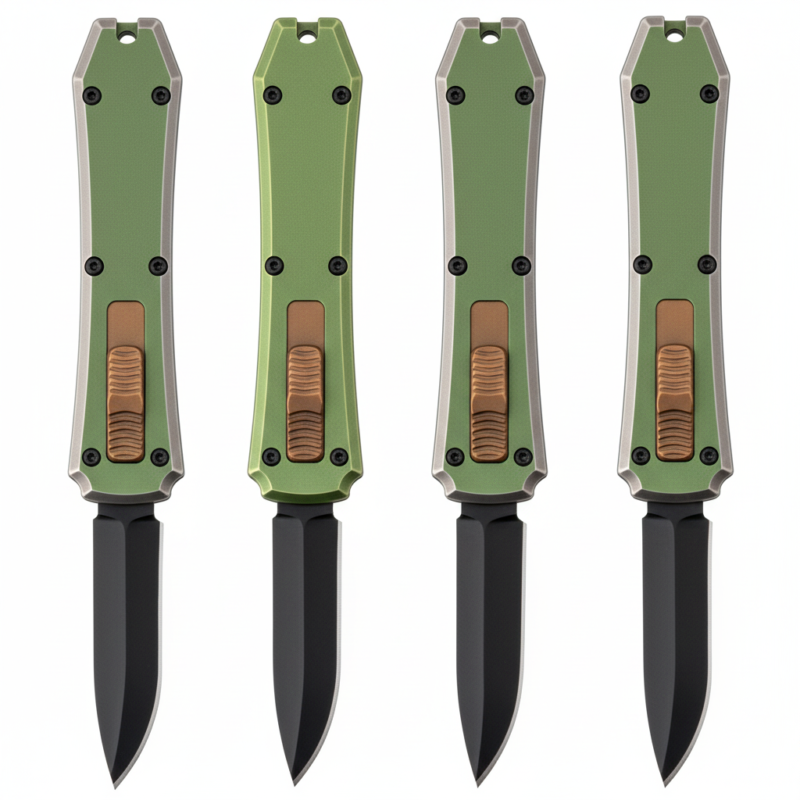
Usually no. Do not disassemble an OTF knife unless external cleaning fails, hardware is damaged, or internal damage is likely. Learn the safest next step.
Key Takeaways
- Start with a mild method and increase pressure or abrasion only when the blade condition requires it.
- Edge angle, steel type, corrosion level, and handle material all affect the right care method.
- For wholesale assortments, simple care instructions help customers keep knives useful longer.
Terms Used Here
- OTF
- Out-the-front; a knife design where the blade moves forward from the front of the handle.
- Automatic knife
- A knife that opens by a spring-driven mechanism after the user activates a button, switch, or slider.
In this article
- 01 Why this answer is different for OTF knives
- 02 What users notice first
- 03 Try this before disassembly
- 04 Do not disassemble for these common issues
- 05 When disassembly may actually be justified
- 06 Compact decision checklist
- 07 What not to do
- 08 Buyer and owner guidance: when service is smarter than self-repair
- 09 Bottom line
- 10 FAQ
- 11 Can taking apart an OTF fix slow action?
- 12 Is a jammed button a reason to disassemble?
- 13 Is blade rust alone a reason to open the handle?
- 14 Which parts are most sensitive inside an OTF?
- 15 What is the safest first maintenance step?
No, you usually should not disassemble your OTF knife. For most OTF problems, the safer first step is external cleaning and inspection, because the blade channel, spring area, button, and hardware are alignment-sensitive and easy to disturb.
That short answer applies to most owners. If the knife still cycles, even weakly or inconsistently, treat it as a cleaning or inspection job first. Open the handle only when there is a specific reason, such as failed hardware, clear internal damage, or contamination that cannot be addressed from the outside.
Why this answer is different for OTF knives
An OTF knife is not maintained like a manual folder. On a folder, many routine issues center on the pivot. On an OTF, the blade rides through a narrow blade channel, the firing system depends on the spring area, the thumb control runs through the button path, and the body hardware holds those parts in alignment.
That means a small mistake during disassembly can create a new problem that did not exist before. Common examples include:
- Uneven screw tension that changes how smoothly the button tracks
- Stripped hardware from using the wrong bit
- Misaligned internals that cause drag or repeated misfires
- A spring or internal part shifting during reassembly
For that reason, disassembly is usually a last step, not a first step.
What users notice first
Most OTF issues show up as visible or repeatable symptoms before the knife needs to be opened. These are the signs users usually notice first:
- Slow deployment or retraction: often caused by lint, grit, dried residue, or excess oil in the blade channel.
- Gritty button feel: often points to dirt around the button path or debris near the opening.
- Blade stops short of lockout: can indicate drag in the blade channel, a weak spring area, or internal misalignment.
- Loose or spinning body screw: a warning sign that the hardware may already be compromised.
- New metallic rattle plus poor function: can suggest a displaced internal part rather than ordinary dirt.
Two warning signs deserve extra caution: a blade that repeatedly fails to lock out after cleaning, and a body screw that will not snug correctly. Those are stronger reasons to stop and seek service instead of opening the knife casually.
Try this before disassembly
If your OTF feels dirty, sluggish, or slightly inconsistent, start with conservative maintenance from the outside:
- Work on a clean, well-lit surface. Keep the knife stable and follow the maker’s instructions if available.
- Inspect the blade channel. With the blade extended, look for lint, pocket debris, sticky residue, or moisture near the opening and blade base.
- Clean with compressed air or a soft nylon brush. Blow debris out of the blade channel and around the button. Avoid metal picks.
- Dry the knife fully. Wipe the blade and opening with a clean cloth, especially after rain, sweat, or damp-pocket exposure.
- Use only a light lubricant if the manufacturer recommends it. Too much oil can trap grit and slow the action.
- Check exterior hardware. Look for backed-out screws, gaps between handle halves, or damaged screw heads. Do not over-tighten.
- Test several cycles. If the action improves, contamination was likely the real issue.
If the knife improves after this, stop there. You solved the problem without risking the spring area, button path, or hardware.
Do not disassemble for these common issues
Most owners do not need to open the handle when the problem is limited to basic contamination or minor surface issues. Leave the knife closed if you only see:
- Pocket lint in the blade opening
- Light grime near the blade channel
- Minor surface rust on the accessible part of the blade
- Slightly sluggish action that improves after cleaning
- Cosmetic wear on the handle, clip, or screw heads
These are usually routine maintenance issues, not proof of internal failure.
When disassembly may actually be justified
There are cases where opening an OTF is reasonable, but they are narrower than many buyers expect. Disassembly may be justified only when one or more of these conditions are true:
- Clear internal damage: the knife has both abnormal noise and functional failure, suggesting a displaced or broken internal part.
- Severe contamination remains after external cleaning: for example, the knife was exposed to salt water, mud, grinding dust, or long-term moisture and still drags or misfires.
- Failed hardware: screws are stripped, loose in a way that affects alignment, or the handle halves no longer seat correctly.
- Jammed button: the button path is blocked or frozen and careful external cleaning does not restore movement.
- Repeatable lockout failure: the blade consistently stops short even after proper cleaning and drying.
Even in these cases, factory or seller support is often the better option, especially if the knife is still covered. If you need support, use the after-sales inquiry form before opening the handle.
Compact decision checklist
Use this one checklist before deciding to disassemble:
- Does the blade still extend or retract at all? If yes, start with external cleaning.
- Can you see lint, grit, moisture, or residue in the blade channel? If yes, clean that first.
- Does the button feel gritty rather than fully jammed? If yes, contamination is more likely than breakage.
- Are the hardware screws intact and properly seated? If no, stop and consider service.
- Did the knife improve after cleaning and drying? If yes, do not disassemble.
- Does it still fail in the same way every time? If yes, internal damage or alignment problems are more likely.
If your answers point to dirt, moisture, or excess lubricant, keep the handle closed. If they point to failed hardware, a jammed button, or repeated lockout failure, service is the safer next step.
What not to do
Most avoidable OTF damage comes from overcorrecting a simple problem. Avoid these common mistakes:
- Do not flood the handle with heavy oil. Thick lubricant collects debris and can slow the blade in the channel.
- Do not force repeated hard firing. If the knife is dragging, repeated force can increase wear on the button path or spring area.
- Do not probe inside with metal tools. Screwdrivers, picks, and improvised hooks can scratch the blade channel or shift internal parts.
- Do not guess at screw size. Many OTF knives use uncommon or proprietary hardware that strips easily.
- Do not over-torque body screws. Uneven pressure can affect handle alignment and button feel.
- Do not assume visible blade rust means internal spring damage. Surface oxidation on the blade is not the same as corrosion inside the handle.
Buyer and owner guidance: when service is smarter than self-repair
For wholesale buyers, resellers, and end users, the practical question is not just whether disassembly is possible, but whether it is worth the risk. In many cases, it is not. Service is usually the better choice when:
- The knife is still under warranty or part of a supported order
- The model uses proprietary screws or unusual bit sizes
- You do not know the correct reassembly order or screw tension
- The finish matters and tool marks would reduce resale value
- The problem is repeatable but not clearly visible from the outside
If you are sourcing inventory or comparing models, it also helps to choose designs with consistent hardware quality and stable button action. You can browse current options in the OTF knife catalog.
Bottom line
Most OTF owners should not disassemble their knife for routine maintenance. Clean the blade channel, dry the knife, inspect the button and hardware, and test the action first. Open the handle only when there is a clear internal problem, failed hardware, or contamination severe enough that external cleaning cannot solve it.
FAQ
Can taking apart an OTF fix slow action?
Sometimes, but slow action is more often caused by lint, grit, or too much lubricant in the blade channel. External cleaning is the right first step.
Is a jammed button a reason to disassemble?
Possibly, but only after careful external cleaning fails. A fully jammed button is also a good reason to stop and request service.
Is blade rust alone a reason to open the handle?
No. Surface rust on the exposed blade does not automatically mean the spring area or button path is corroded.
Which parts are most sensitive inside an OTF?
The main sensitive areas are the blade channel, spring area, button, and body hardware. Small alignment changes there can affect deployment and lockup.
What is the safest first maintenance step?
Inspect the blade channel, blow out debris with compressed air, wipe away moisture, use only light approved lubricant if recommended, and test the knife before considering disassembly.